سوق رمان دولياً
  السعودية
  الإمارات العربية المتحدة
  الكويت
  أمريكا
 الإمارات
۹۷۱٥۲٥۰٦۲۷۷۲+
الإمارات
۹۷۱٥۲٥۰٦۲۷۷۲+
 Login with Google



الوصف
Overview

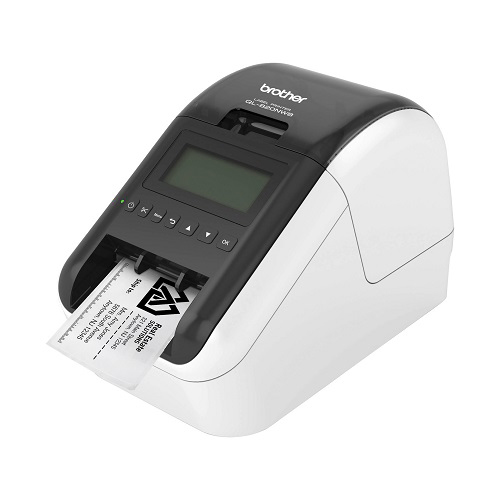
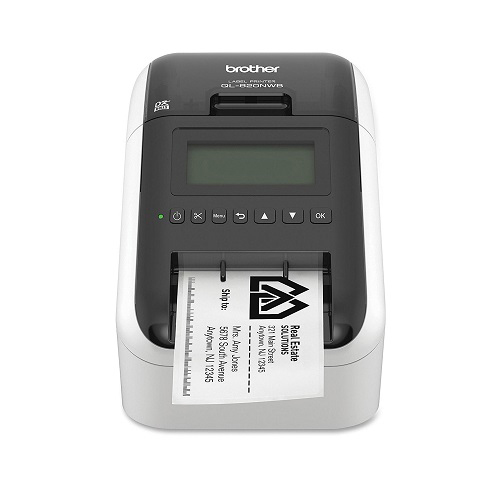
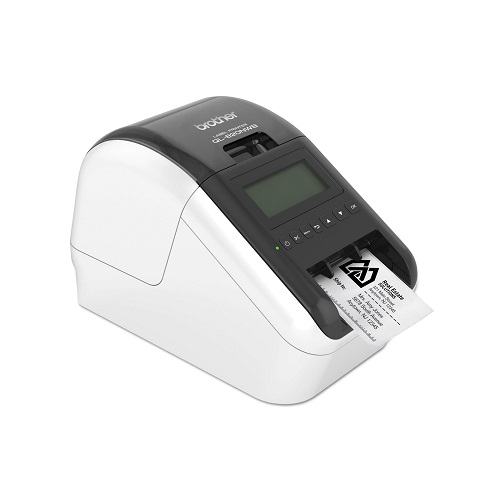
The Brother QL-820NWB offers flexible connectivity – Bluetooth® wireless technology, Ethernet and Wireless (802.11b/g/n) interfaces. Also equipped with a USB Host interface, the Brother QL-820NWB is well-suited for use with a peripheral such as a scanner.
Create amazing Black/Red labels using DK-2251 or cost-effective, paper labels for packages, name badges, postage and more. Ultra-fast, printing up to 110 standard address labels per minute with black text at 300dpi.
Create and print labels from your mobile device when connected to a wireless network via†: AirPrint®, Brother iPrint&Label. Using the free, Brother iPrint&Label app‡ with your Apple® iPhone®, iPad®, and iPod touch® or Android™ smartphones you can quickly access and print label templates - or create your own custom labels with graphics or photos.
Easy to read Backlit Monochrome LCD screen allows for standalone use. Add an optional Li-ion battery for a complete mobile solution. Easy to integrate with free software development kits. Uses convenient, Brother genuine DK drop in labeling supplies.
Needs no ink or toner. Windows® and Mac® compatible.
 |
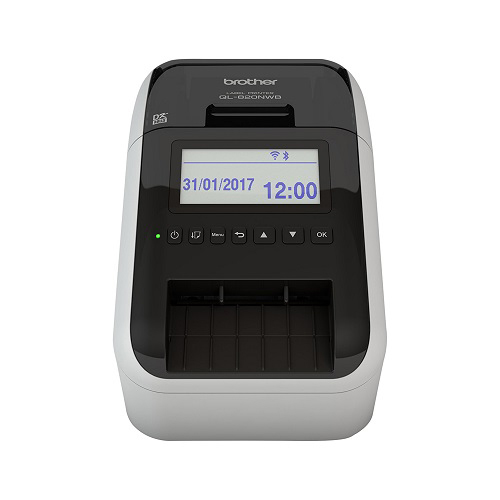
Print labels without a computerThe QL-820NWB works as a traditional label printer - simply design your label on your PC or Mac, and then print. In addition, your commonly used labels can be uploaded to the internal memory locations. Then, simply scroll through the stored labels using the control panel to select and print the label. You can even print the current date and time or let the printer calculate a future one, making it ideal for printing labels for food packaging and "tested on / next test due" applications. |
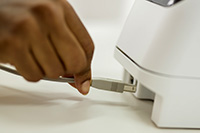 |
Full range of connectivityWith USB, wired Ethernet, Wi-Fi, and Bluetooth as standard, you have all your options covered. AirPrint and MFi certification (Made for iPod/iPhone/iPad) ensures maximum compatibility with Apple products too. |
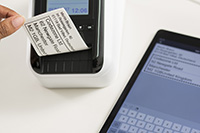 |
Print from PC, Mac, iOS and Android devicesThe free P-touch Editor label design software for PC and Mac lets you add text, images, barcodes and frames to your labels. Or use the free iPrint & Label app for iOS and Android to create and wirelessly print labels from your mobile devices. |
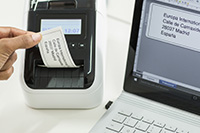 |
Print from PC, Mac, iOS and Android devicesThe free P-touch Editor label design software for PC and Mac lets you add text, images, barcodes and frames to your labels. Or use the free iPrint & Label app for iOS and Android to create and wirelessly print labels from your mobile devices. |
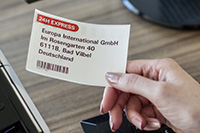 |
Print any size labels, in black and redRolls are available in a range of traditional die-cut (pre-sized) labels, or continuous that lets the built-in cutter cut your label to the precise length (up to one metre). And now you can draw attention to important information by including red* on your labels too - ideal for highlighting use-by dates, allergens and other critical information. *DK-22251 roll required |
.jpg?mw=230&hash=19A3CAC7578E59A824395743A03E5682DD5D008A) |
Integrated LCD for easy operationEasily select the labels stored in memory that you wish to print, thanks to the large backlit graphic display. Setting up and configuring the machine is made much easier, as is troubleshooting if any errors occur with on-screen guidance on the problem and how to easily resolve it. |
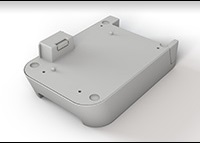 |
Optional Li-ion battery baseThere are situations where you may need to print labels away from a power source, such as use on a portable trolley and printing from a tablet in retail, healthcare or similar industries. The optional Li-ion battery base has a fast charge function, and lasts for thousands of labels on a full charge. |
.jpg?mw=230&hash=C6D6C309FBA7D0AEB45A476E600CFFB7979E3B09) |
Large range of labels for any applicationThe QL series label printers use Brother DK rolls - that easily slot-in for fast label changes. Several types are available:
|
المواصفات
|
||||||||||||||||||||||||||
تقيمات
لا توجد تعليقات بعد.