 الإمارات
۹۷۱٥۲٥۰٦۲۷۷۲+
الإمارات
۹۷۱٥۲٥۰٦۲۷۷۲+
 Login with Google



الوصف
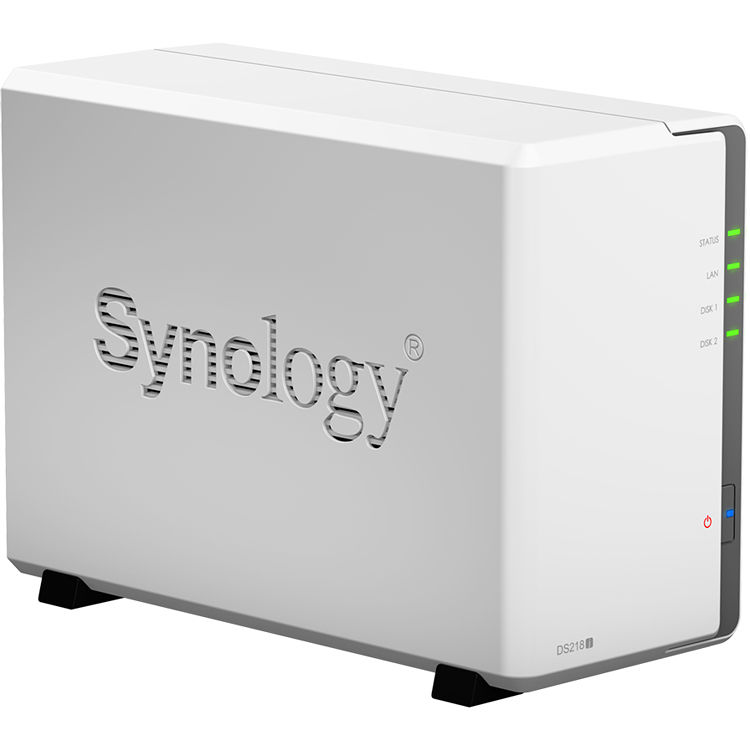
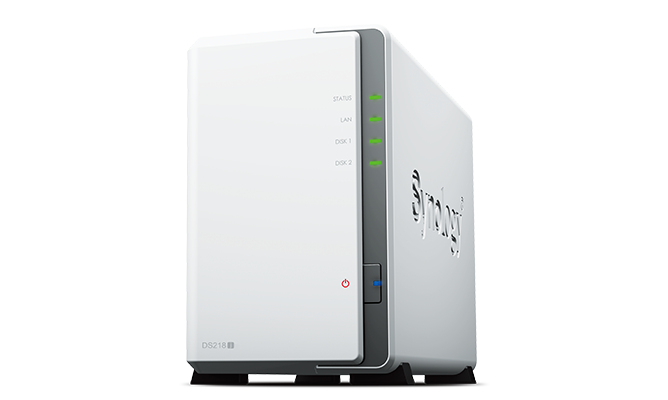
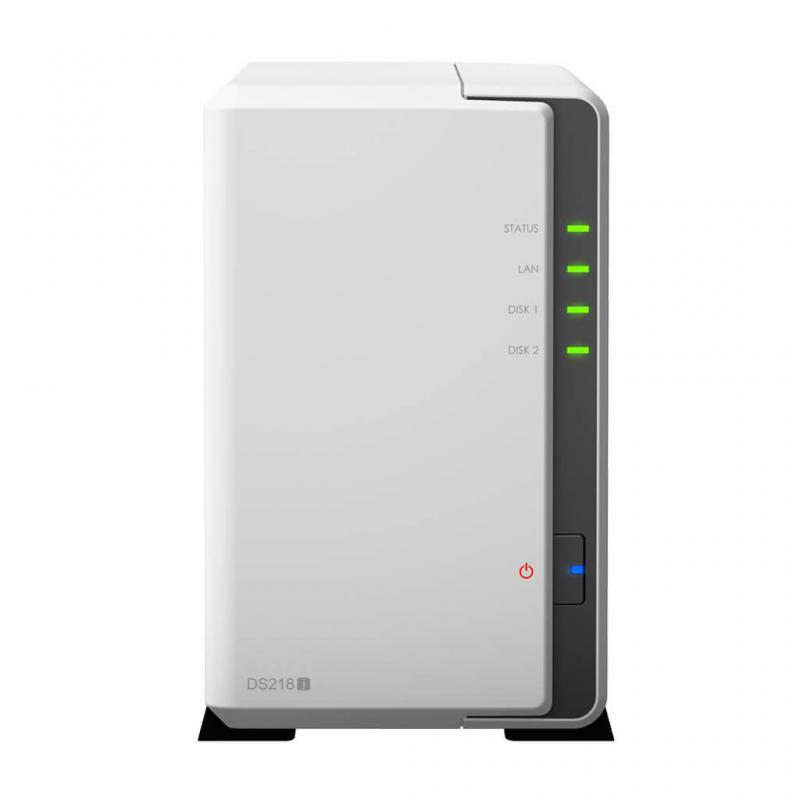
DiskStation DS218j
A versatile entry-level 2-bay NAS for home and personal cloud storage.
What is the Synology DiskStation DS218j?
Across Synology’s bewildering array of models, a ‘j’ suffix generally denotes a cheaper, home-orientated model. Synology describes the two-bay DS218j as ‘entry-level’, but its performance is anything but.
This is a two-bay NAS. When configured with the default Synology Hybrid Raid (SHR), it will tolerate the failure of one hard disk without any data loss, but at the expense of one disk’s capacity. This large loss of capacity is inevitable in a small, two-bay NAS.
SHR becomes more efficient the more disks a NAS has, so a four-bay model can protect the data of all four disks if one goes bang, and you still lose the storage capacity of only a single disk.
Synology DS218j – Specifications and design
Synology has bumped up the processor speed of this year’s NAS: the DS218j now has a 1.3GHz dual-core processor, up from 1GHz in the last generation. This means it has as much processing power as the more expensive, office-orientated DS216 I reviewed last year.
Cloud Station Backup for PC protection
Featuring real-time incremental backup technology, your data stored on a PC can be backed up to a Synology NAS instantly, using minimal system resources, bringing a truly comprehensive and secure private cloud experience.
 Incremental backup: fast while reducing performance impact
Cloud Station provides an optimized PC backup solution. With the incremental backup technology, Cloud Station backs up only the modified files and divides them into even smaller parts, demanding significantly less system resources than traditional backup methods.
 Real-time backup saving you from massive data loss
Cloud Station Backup carries out the most complete backup tasks in real-time. When data is voluminous, real-time backup prevents massive data loss due to unexpected disaster during backup cycles.
Synchronize files across your devices
Cloud Station Suite provides real-time data synchronization across all your devices and other Synology NAS. "Intelliversioning" keeps the most important file versions to better utilize storage space.
Easy file access with QuickConnect
Access files on your Synology NAS over the Internet without the hassle of setting up port forwarding rules, DDNS, or other complicated network settings. QuickConnect allows you to connect via a secure, customizable address, so that you can instantly access media and work files on any Internet-connected device with no additional charge.
Seamless integration with your mobile devices
Synology mobile applications are designed to allow quick and secure access to your data wherever you are.
You still get 512MB of RAM, and room for two 3.5-inch hard disks out of the box. It’s possible to fit 2.5-inch hard disks and SSDs, but only with an adapter; the DS218j needs the Type-C model, which costs £11. Models higher up the range such as the DS216 or DS218+ don’t require adapters to fit 2.5-inch disks.
The NAS is a simple, glossy white box. It features status lights for the disks and network on the front, and two USB3 ports on the rear to connect external disks for backup, or to manually copy files to and from the NAS. This basic NAS doesn’t offer extras such as front-mounted USB ports or a dedicated USB file-copy button. I did like the NAS’s thick, sticky rubber feet, which make it unlikely you’ll knock it off your desk.
SPECIFICATION
| Hardware Specifications | |
| CPU | |
| CPU Model | Marvell Armada 385 88F6820 |
| CPU Architecture | 32-bit |
| CPU Frequency | Dual Core 1.3 GHz |
| Hardware Encryption Engine | |
| Memory | |
| System Memory | 512 MB DDR3 |
| Storage | |
| Drive Bays | 2 |
| Compatible Drive Type* |
|
| Maximum Internal Raw Capacity | 24 TB (12 TB drive x 2) (Capacity may vary by RAID types) |
| Maximum Single Volume Size | 16 TB |
| Notes |
|
| External Ports | |
| RJ-45 1GbE LAN Port | 1 |
| USB 3.0 Port | 2 |
| File System | |
| Internal Drives | EXT4 |
| External Drives |
|
| Notes |
|
| Others | |
| System Fan | 92 mm x 92 mm x 1 pcs |
| Fan Speed Mode |
|
| Brightness adjustable front LED indicators | Yes |
| Power Recovery | Yes |
| Noise Level* | 18.2 dB(A) |
| Scheduled Power On/Off | Yes |
| Wake on LAN/WAN | Yes |
| Power Supply Unit / Adapter | 60W |
| AC Input Power Voltage | 100V to 240V AC |
| Power Frequency | 50/60 Hz, Single Phase |
| Power Consumption* | 17.48 W (Access) 7.03 W (HDD Hibernation) |
| British Thermal Unit | 59.68 BTU/hr (Access) 24 BTU/hr (HDD Hibernation) |
| Environment Temperature | |
| Operating Temperature | 5°C to 40°C (40°F to 104°F) |
| Storage Temperature | -20°C to 60°C (-5°F to 140°F) |
| Relative Humidity | 5% to 95% RH |
| Certification |
|
| Warranty | 2 Years |
| Notes | Power consumption is measured when fully loaded with Western Digital 1TB WD10EFRX hard drive(s). |
| DSM Specifications | |
| Storage Management | |
| Maximum Internal Volume Number | 256 |
| Maximum iSCSI Target Number | 10 |
| Maximum iSCSI LUN | 10 |
| Supported RAID Type |
|
| RAID Migration | Basic to RAID 1 |
| Volume Expansion with Larger HDDs |
|
| Volume Expansion by Adding a HDD | Synology Hybrid RAID |
| File Sharing Capacity | |
| Maximum Local User Accounts | 1024 |
| Maximum Local Groups | 256 |
| Maximum Shared Folder | 256 |
| Maximum Shared Folder Sync Tasks | 2 |
| Maximum Concurrent CIFS/AFP/FTP Connections | 100 |
| Windows Access Control List (ACL) Integration | Yes |
| NFS Kerberos Authentication | Yes |
| Log Center | Yes |
| Syslog Events per Second | 100 |
| Add-on Packages | |
| Chat | Yes |
| Maximum Users | 10 |
| Notes |
|
| Cloud Station Server | Yes |
| Maximum Number of Concurrently Connected Devices | 100 |
| Maximum Number of Synced Files (ext4) | 100,000 / single file reaction time 840 ms |
| Notes |
|
| Download Station | Yes |
| Maximum Concurrent Download Tasks | 30 |
| Drive | Yes |
| Maximum Number of Synced Files | 100,000 / single file reaction time 941 ms |
| Maximum Number of Concurrent Connections for PC Clients | 200 |
| Notes |
|
| exFAT Access (optional) | Yes |
| Media Server | Yes |
| DLNA Compliance | Yes |
| Moments | Yes |
| Facial recognition | Yes |
| Subject recognition | Yes |
| Office | Yes |
| Maximum Users | 200 |
| Notes |
|
| Surveillance Station | Yes |
| Maximum IP cam (Licenses required) | 14 (including 2 Free License) |
| Total FPS (H.264)* | 420 FPS @ 720p (1280x720) 120 FPS @ 1080p (1920×1080) 90 FPS @ 3M (2048x1536) 60 FPS @ 5M (2591x1944) 20 FPS @ 4K (3840x2160) |
| Total FPS (H.265)* | 420 FPS @ 720p (1280x720) 210 FPS @ 1080p (1920×1080) 140 FPS @ 3M (2048x1536) 90 FPS @ 5M (2591x1944) 30 FPS @ 4K (3840x2160) |
| Total FPS (MJPEG)* | 140 FPS @ 720p (1280x720) 70 FPS @ 1080p (1920×1080) 40 FPS @ 3M (2048x1536) 20 FPS @ 5M (2591x1944) |
| Notes | Surveillance Station throughput is tested with Axis network camera, using continuous recording with live view from Surveillance Station and motion detection by camera. Live view and recording are sharing the same stream from the camera. |
| Video Station | Yes |
| Video Transcoding | Group 2 |
| VPN Server | Yes |
| Maximum Connections | 5 |
| Environment & Packaging | |
| Environment | RoHS Compliant |
| Packaging Content |
|
| Optional Accessories |
|
تقيمات
لا توجد تعليقات بعد.