International
  Egypt
Egypt 
 UAE
+971525062772
UAE
+971525062772
 Login with Google



Description
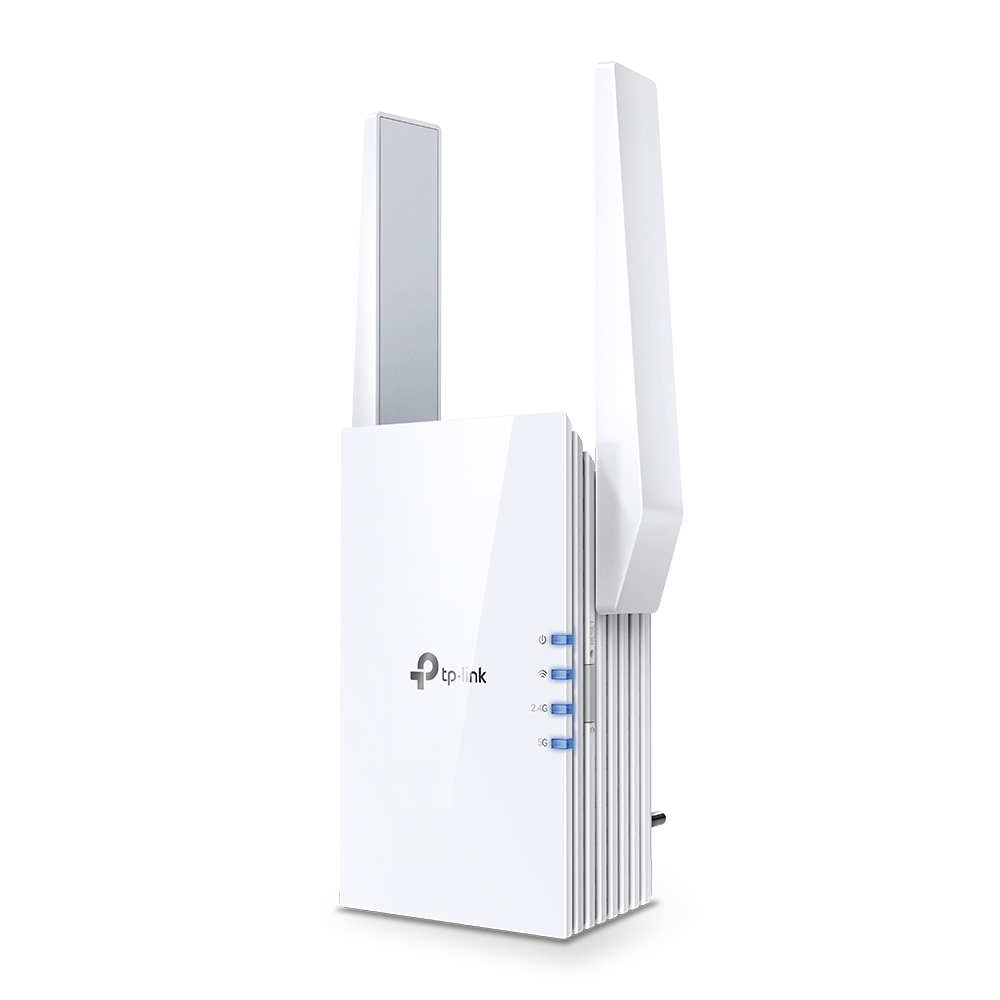
RE505X
AX1500 Wi-Fi Range Extender
-RE505X comes equipped with the latest wireless technology, Wi-Fi 6, for faster speeds, greater capacity, and reduced network congestion.
-Creates a Mesh network by connecting to a TP-Link OneMesh™ router for seamless whole-home coverage.
-Gigabit Ethernet Port – Provide faster-wired connections to smart TVs, computers and gaming consoles
-Intelligent Signal Light – Helps to determine the best location for optimal Wi-Fi coverage by indicating the signal strength in the current placement
-AP Mode – create a new Wi-Fi access point to enhance your wired network with Wi-Fi capability
-TP-LINK Tether App – Easily access and manage your network using any iOS or Android mobile device
-Ultimate Compatibility – Extend the range of any Wi-Fi router or wireless access point
Cutting-Edge Wi-Fi 6
The latest Wi-Fi technology eliminates annoying lag, endless loading, and dead spots. Enjoy the future of faster network loads and more connections.
Fill Every Inch of Your Home with Wi-Fi 6
The 505X wirelessly connects to your router, boosting your Wi-Fi 6 signal throughout your home so you can binge watch your favorite show anywhere.
Dual Band, More Benefits
-Adaptive Path Selection
Keeps your network running at top-speed by automatically choosing the fastest connection path to the router.
-High Speed Mode
Use both Wi-Fi bands to enjoy super-fast connections —ideal for HD streaming and gaming.
Built-In Access Point Mode
RE505X is more than just a wireless range extender.
Simply plug an Ethernet cable into its port to easily turn that wired connection into a high-speed dual band wireless signal.
TP-Link OneMesh TM
OneMeshTM is a simple way to form a Mesh network with a single Wi-Fi name for seamless whole-home coverage. Just connect a OneMeshTM range extender to a OneMeshTM router. No more searching around for a stable connection.
Enjoy an AX Mesh Network with Your Existing Router
Want a Mesh network? Hesitating whether you should replace your current router with a new Mesh set?
1) Update your existing TP-Link router’s firmware to the OneMeshTM version—no need to replace anything.
2) Connect the RE505X to the router.
3) Enjoy your Mesh network
Control at Your Fingertips
Set up and manage your Wi-Fi through the TP-Link Tether app from your smartphone (Android, iOS), including TP-Link routers and range extenders.
Reviews
No posts found