International
 UAE
+971525062772
UAE
+971525062772
 Login with Google



..
..
..

Description
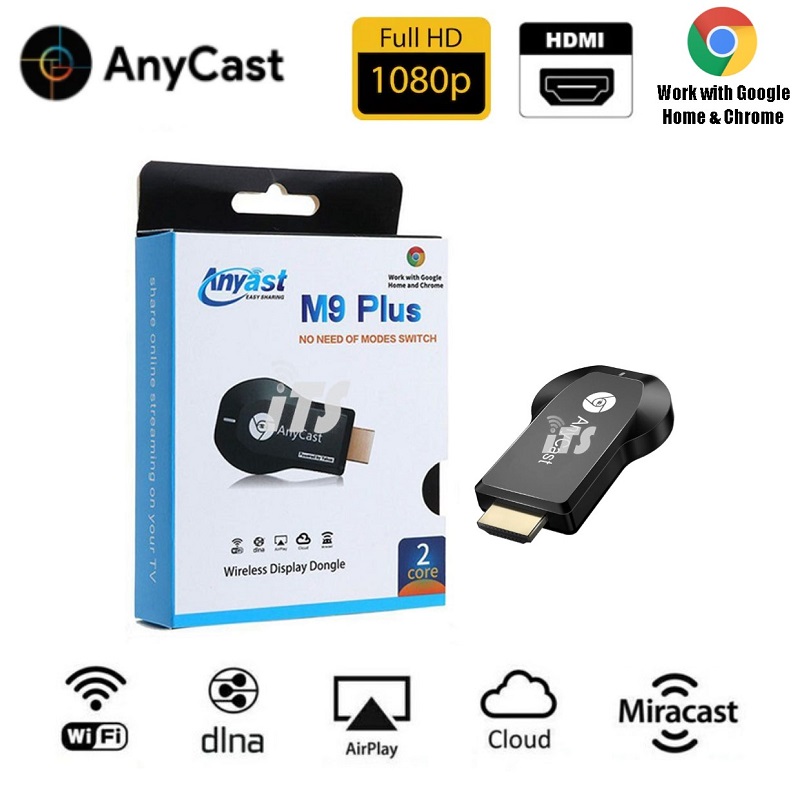
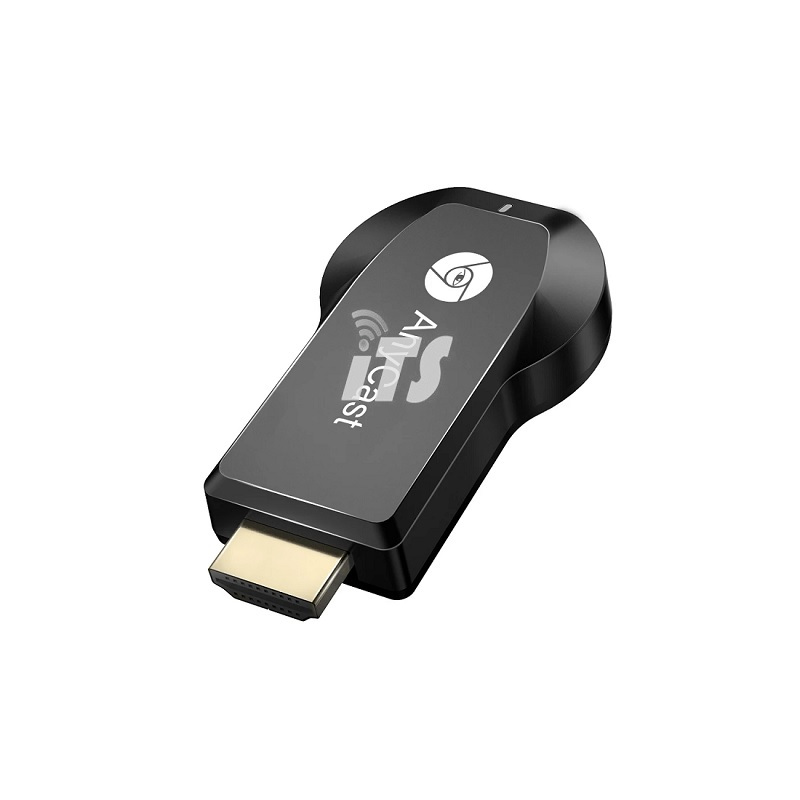
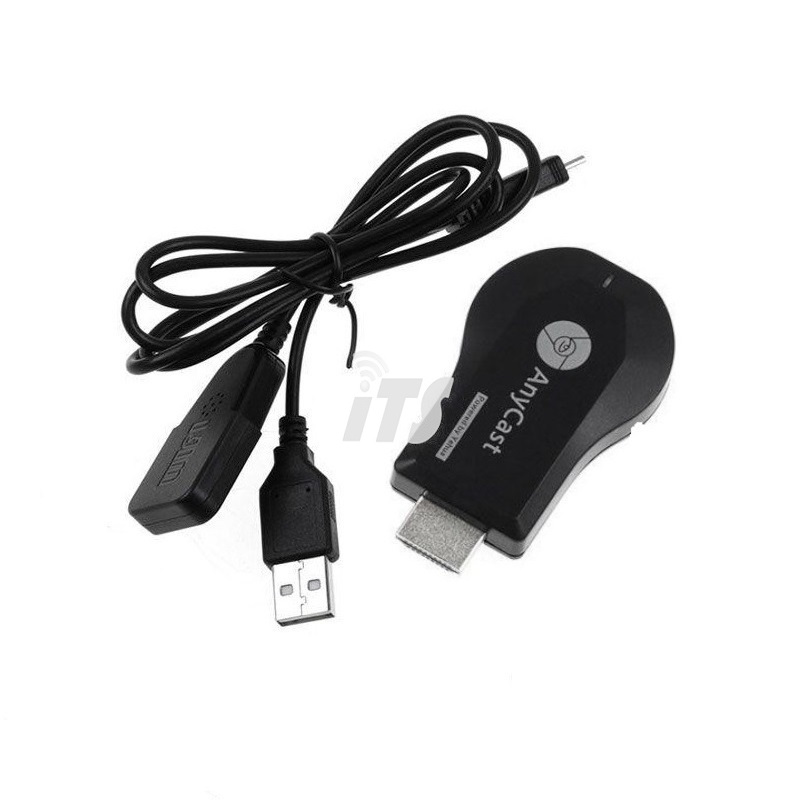
AnyCast M9 Plus Wireless Display Dongle
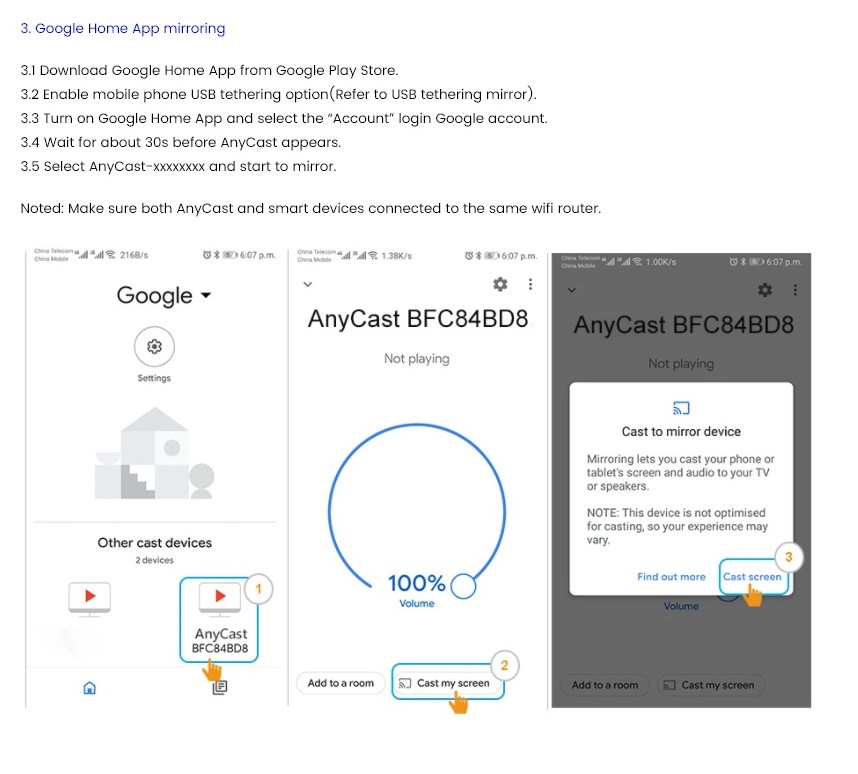
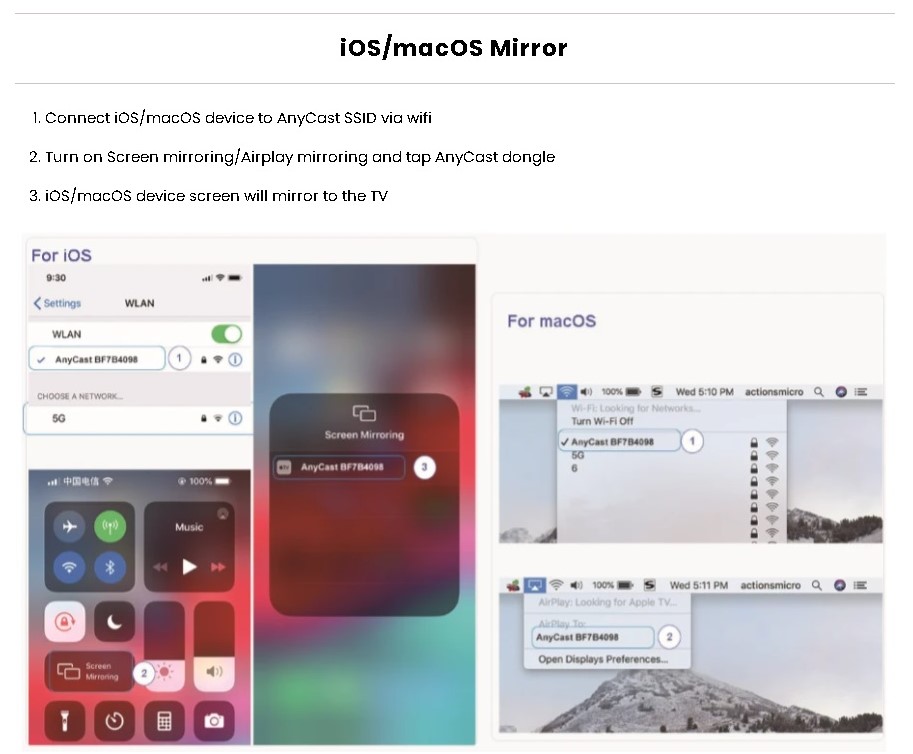
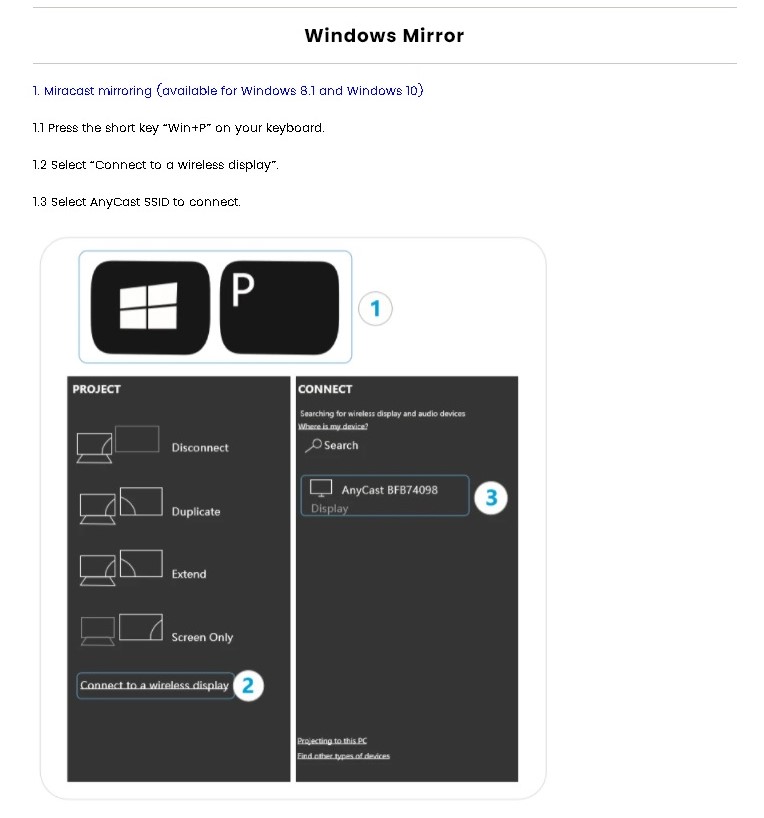
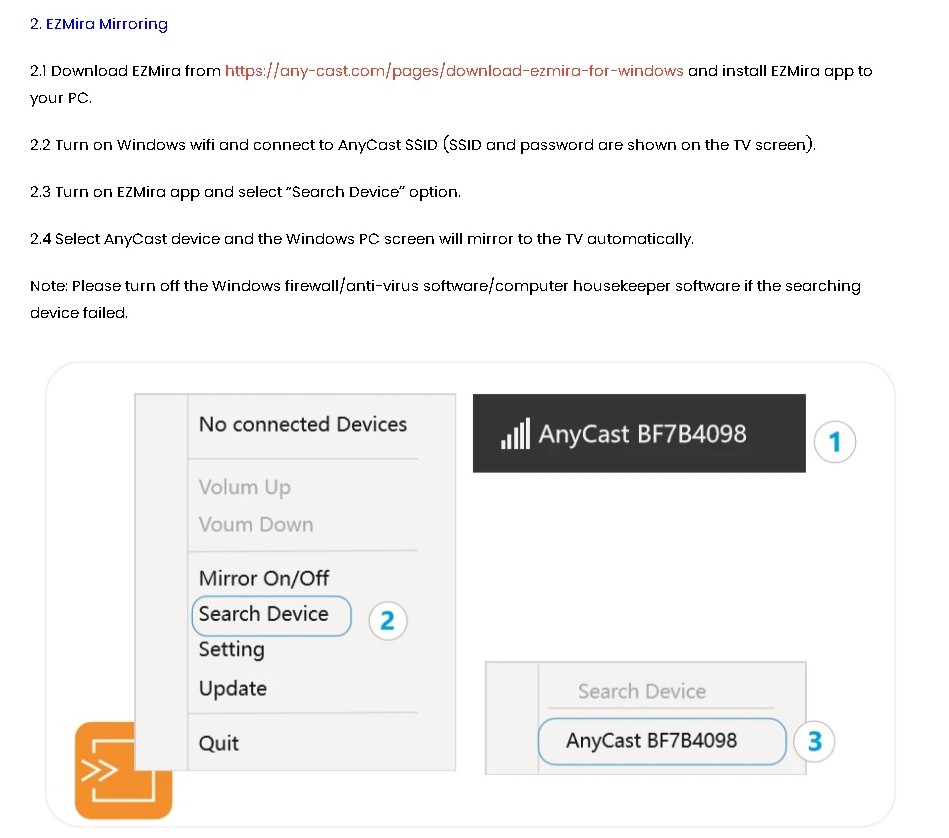
"AnyCast M9 is a wireless display receiver mirroring with full HD resolution. Users can easily cast videos or games from a device screen to a big screen without switching mirroring modes. AnyCast supports multi-OS mirroring which including Windows, macOS, Android, and iOS. Free firmware is provided to compatible with up-to-date devices. Please follow the user guide below to complete the setup.
CPU : Corex-A9 1.2Ghz
Ram : 128MB
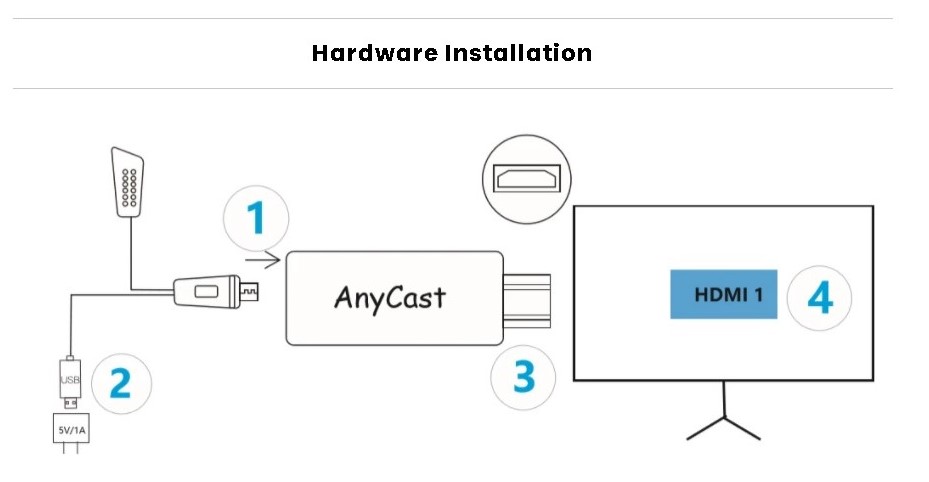
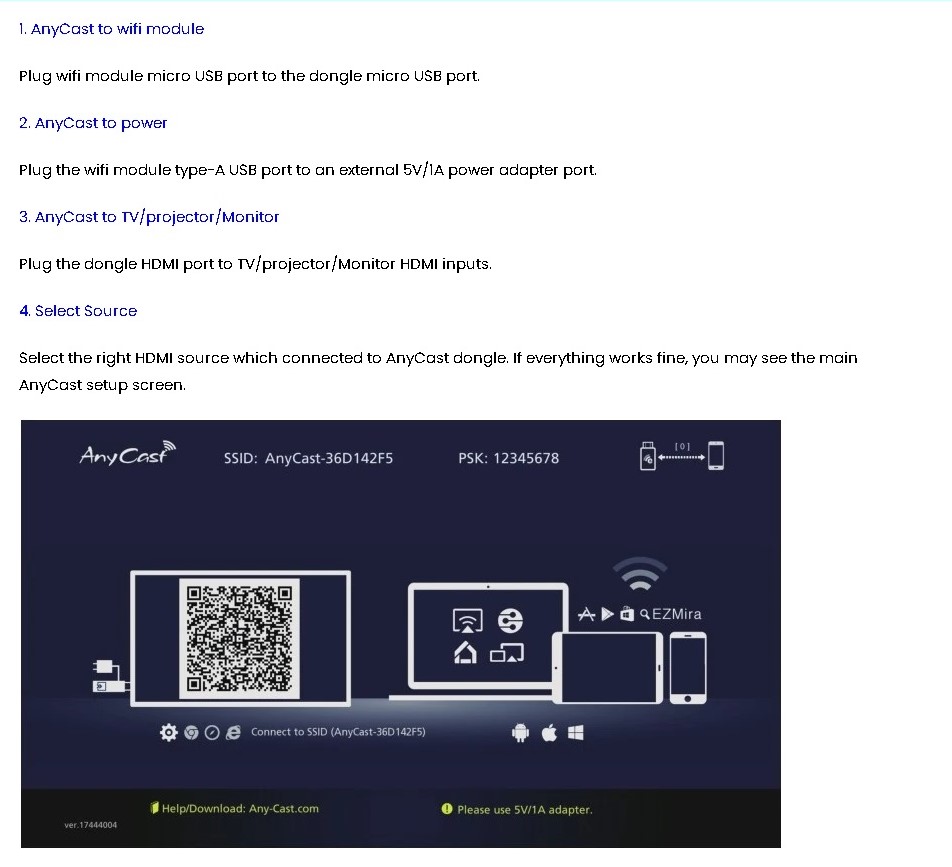
1. AnyCast to wifi module
Plug wifi module micro USB port to the dongle micro USB port.
2. AnyCast to power
Plug the wifi module type-A USB port to an external 5V/1A power adapter port.
3. AnyCast to TV/projector/Monitor
Plug the dongle HDMI port to TV/projector/Monitor HDMI inputs.
4. Select Source
Select the right HDMI source which connected to AnyCast dongle. If everything works fine, you may see the main AnyCast setup screen.
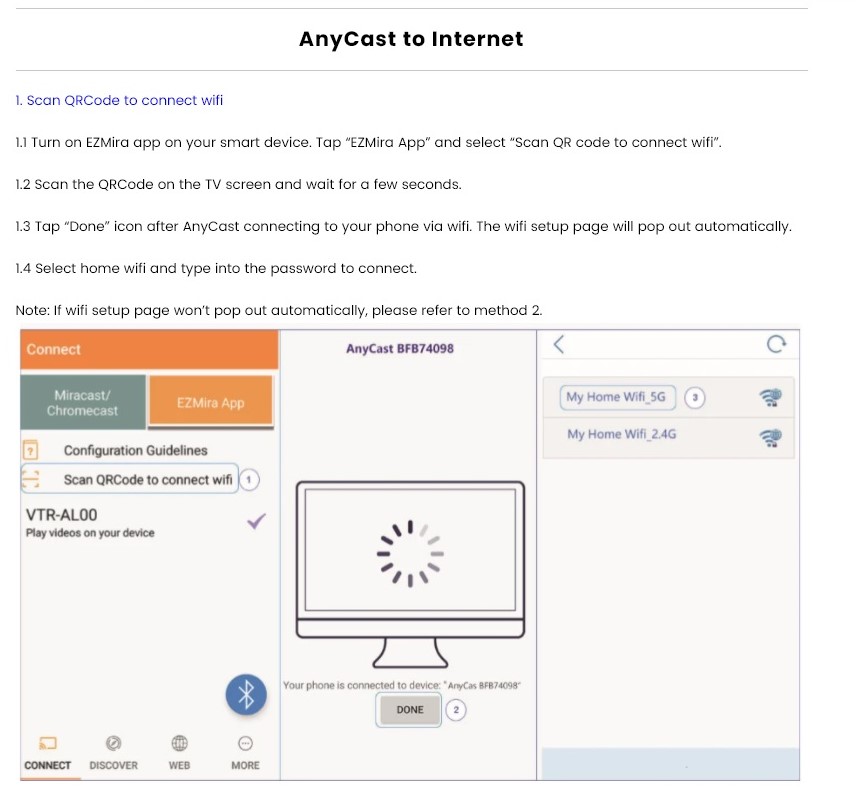
AnyCast to Internet
1. Scan QRCode to connect wifi
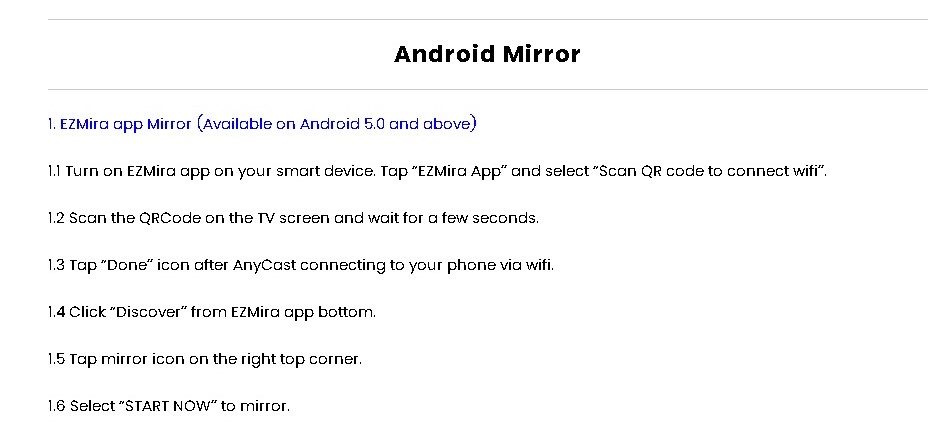
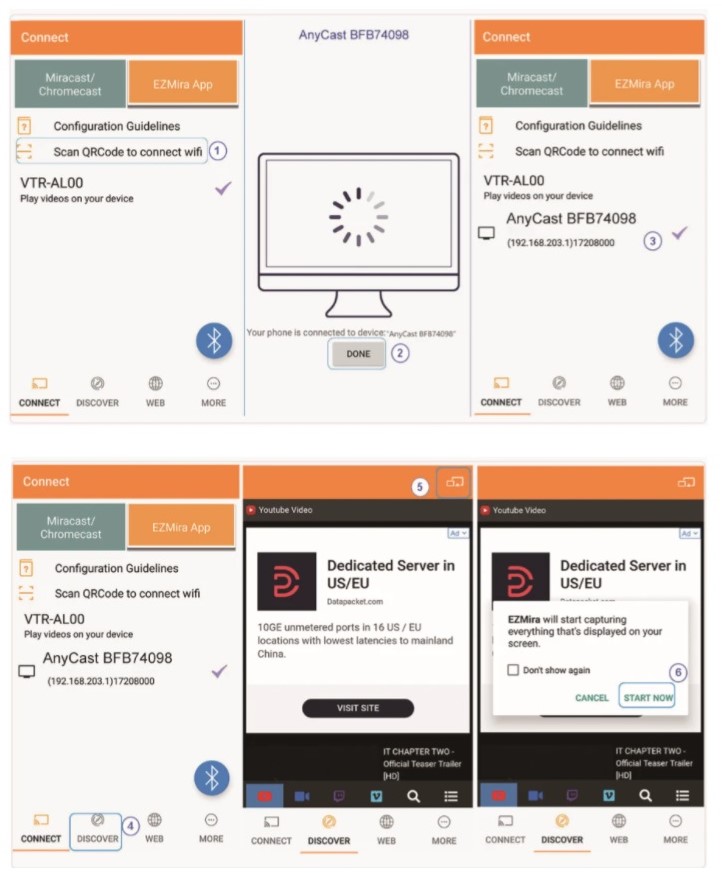
1.1 Turn on EZMira app on your smart device. Tap “EZMira App” and select “Scan QR code to connect wifi”.
1.2 Scan the QRCode on the TV screen and wait for a few seconds.
1.3 Tap “Done” icon after AnyCast connecting to your phone via wifi. The wifi setup page will pop out automatically.
1.4 Select home wifi and type into the password to connect.
Note: If wifi setup page won’t pop out automatically, please refer to method 2.
2. Connect wifi from browser
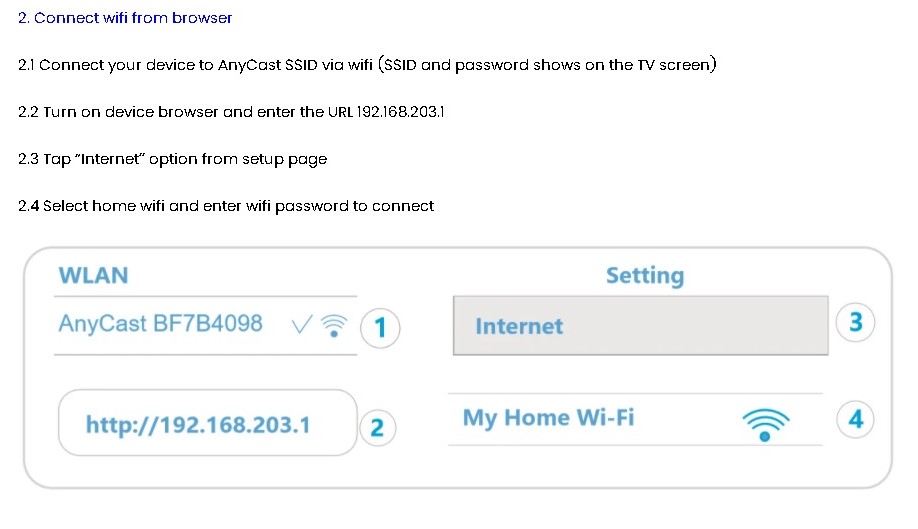
2.1 Connect your device to AnyCast SSID via wifi (SSID and password shows on the TV screen)
2.2 Turn on device browser and enter the URL 192.168.203.1
2.3 Tap “Internet” option from setup page
2.4 Select home wifi and enter wifi password to connect"
Reviews
No posts found