International
  Egypt
Egypt 
 UAE
+971525062772
UAE
+971525062772
 Login with Google

-3%





This item is sold by


Description
*This product is only available after purchasing any of AutoCount Accounting Version 2.0 Edition.
Introduction
Barcode Printing Plugin allows user to print barcode on AutoCount Accounting with a Barcode Template File, which eliminates the problems of non-readable printed barcodes. Barcode template file is an output file generated from a barcode printer software (such as Bar Tender, Poslabel, Label Gallery...) which was fine-tuned in accordance to the required barcode format and desired contents.
System Requirements
- AutoCount Accounting 2.0 Revision 129 and above (Recommended)
Features
- Import Own Barcode Template File
- Print Barcode Sticker Straight From AutoCount Accounting Software
Installation
- Launch AutoCount Accounting 2.0 and login the account book that wish to install this plug-in.
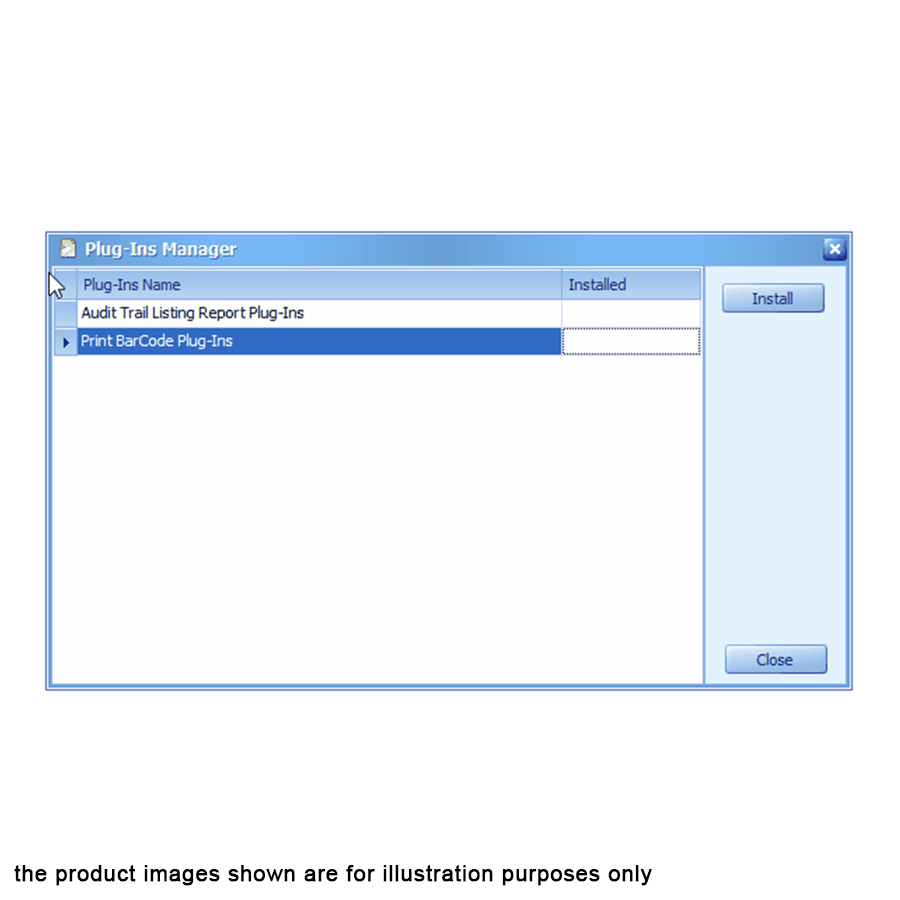
- From the top Menu, go to Tools → Plug-in Manager.
- Plug-in Manager screen will appear, click on the “Install” button located on the right side. System will prompt to select a file. Browse for the related .app file.
- A new window will prompt with some basic information of this plug-in. Click on the “Install” button again to proceed.
- A confirmation message will prompt after that. Click “Yes” to confirm the installation.
- A success message will appear after the plug-in is installed correctly.
What In The Box
- 1 x AutoCount Plug-In: Barcode Printing
Warranty
1 Year Limited Warranty
Local Manufacturer Warranty
Reviews
No posts found